Figure 2 shows the second tab of the main window. It describes how you can export Outlook contacts and import FritzBox contacts using an Outlook add-in. If you are using Outlook 2012 or 2016, you can download and install the add-in from our website.
When you click any circled number in the picture below, the browser will scroll to the explanation of the numbered item. To return to the picture, click the back button of the browser.
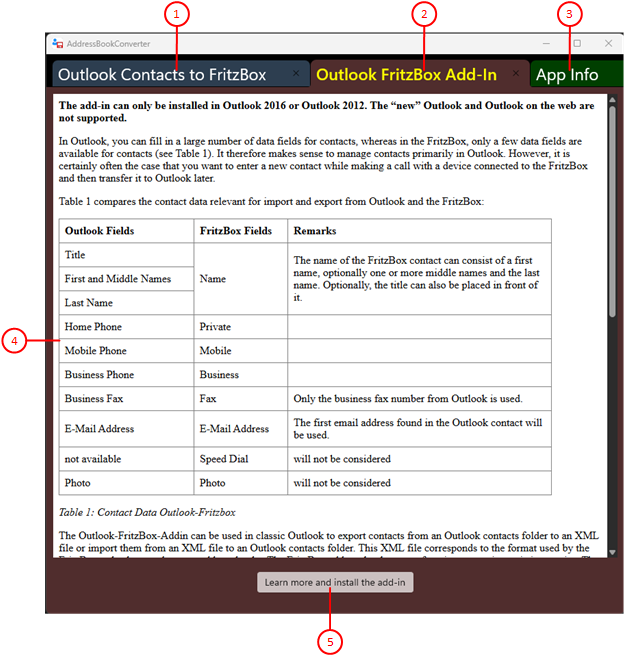
Figure 2: Second Tab of the Main Window
- Outlook Contacts to FritzBox
This tab describes how to transfer Outlook contacts to the Fritzbox. You can also configure and start the conversion of contacts.
- Outlook FritzBox Add-In
This tab describes how you can export Outlook contacts and import FritzBox contacts using an Outlook add-in. The add-in, which can only be used in Outlook 2012 and 2016, must be downloaded from our website and installed.
- App Info
This tab displays the app version. You can also find further information online.
- Description
This section describes the add-in and how to install it.
- Learn more and download the add-in
When you click on this link, the add-in website will open in a separate browser window. From there, you can download the file “OutlookFritzBoxAddIn.msi.” You will usually need to ignore any warnings from your browser and download the file anyway. When you run the file, the program will guide you through the installation process.
See Also