Figure 3 shows the third tab of the main window. The app version is displayed here. You can also access further information online.
When you click any circled number in the picture below, the browser will scroll to the explanation of the numbered item. To return to the picture, click the back button of the browser.
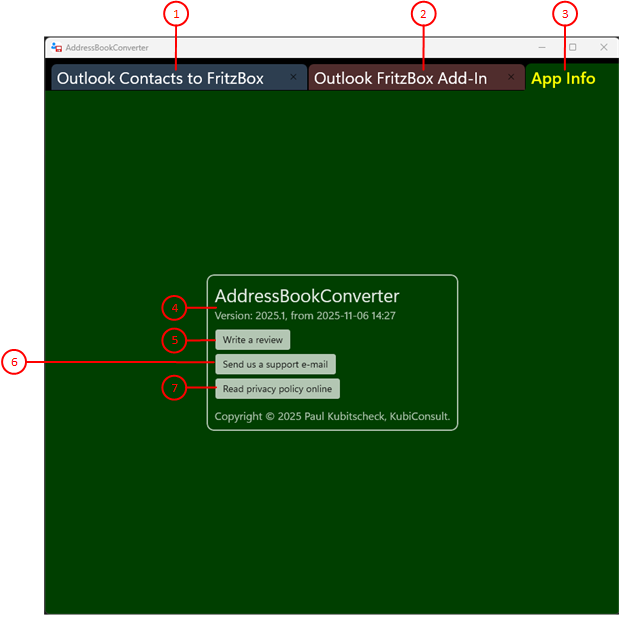
Figure 3: Third Tab of the Main Window
- Outlook Contacts to FritzBox
This tab describes how to transfer Outlook contacts to the Fritzbox. You can also configure and start the conversion of contacts.
- Outlook FritzBox Add-In
This tab describes how you can export Outlook contacts and import FritzBox contacts using an Outlook add-in. The add-in, which can only be used in Outlook 2012 and 2016, must be downloaded from our website and installed.
- App Info
This tab displays the app version. You can also find further information online.
- Name and Version of the App
The name, version, and creation date of the app are displayed here.
- Write a review
Click this button if you want to go to the store to write a review about the app that other interested parties can read.
- Send us a support e-mail
Click this button if you want to give us feedback. An e-mail will be prepared for you, which you only need to complete.
- Read privacy policy online
Clicking this button will open a browser window with the app's privacy policy.
See Also